Reduced Personnel Hazard Exposure by 94%, Decreasing Fatalities
Vector3287Responsive Web App
Vector3287Metals and Mining
Vector3287Real-world Project
Vector32874 months
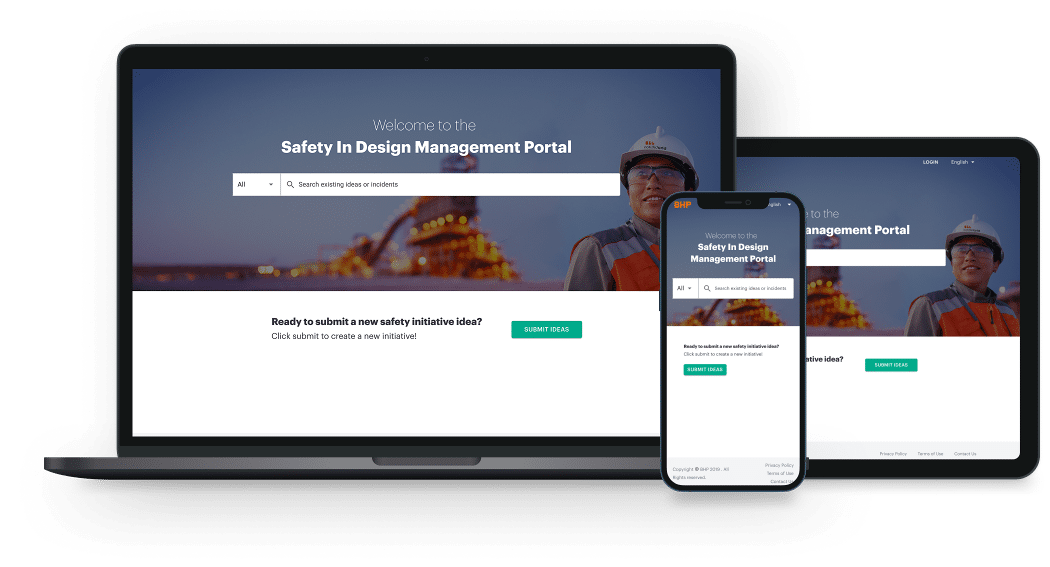
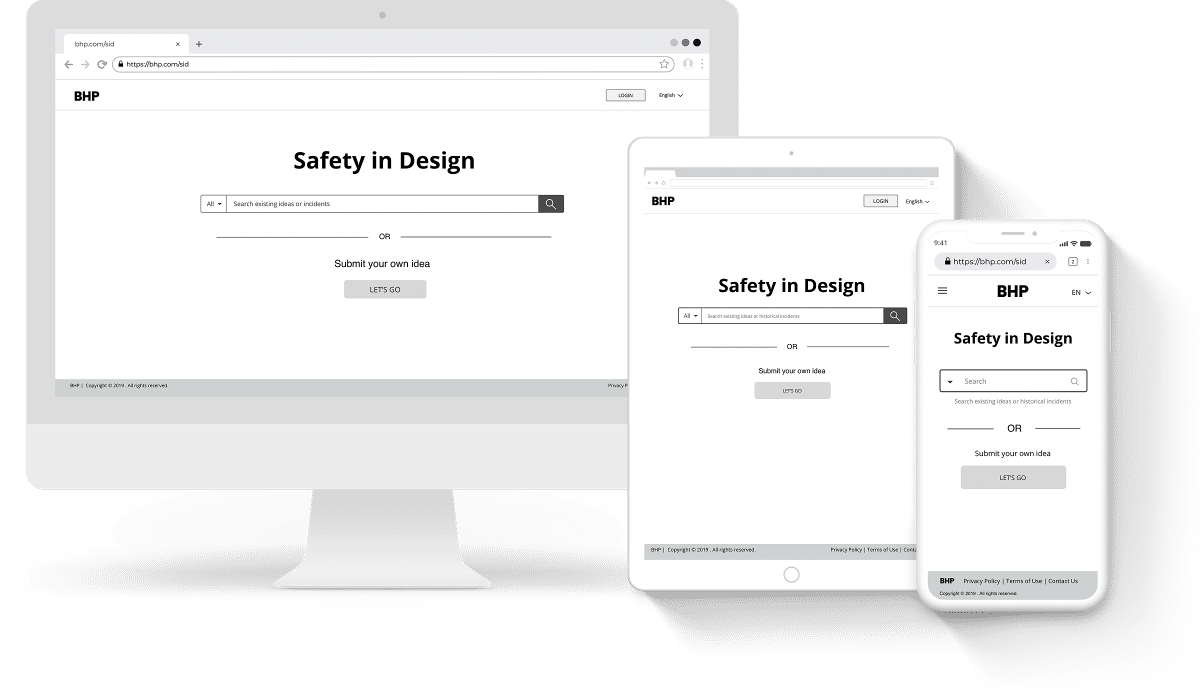
IMAGE3devicemockupimg3231
BHP is a world-leading mining, metals, and petroleum company that extracts and processes minerals, oil, and gas. The mining industry faces significant challenges in ensuring safety during operations, especially given the diverse and often hazardous environments in which it operates.
The ProblemBHP recognized the issues they had around the health and safety practices during the early stages of all BHP’s project globally and wanted to reduce personnel exposure to hazards during implementation of their mining faculty projects.
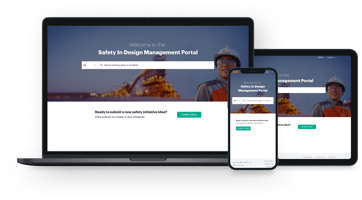
The SolutionTo tackle these challenges, BHP launched the Safety in Design (SiD) project to create a user-friendly, web-responsive application that acts as a centralized database for safety practices. The aim was to enhance user experience, ensure better compliance with safety standards, and ultimately support BHP's broader commitment to sustainability and safety in design.
The Constraints
Circle2669The project encountered tight deadlines and limited budget constraints.
Circle2669Quick feedback and feature prioritization were essential.
Circle2669The project scope changed frequently, requiring rapid pivots and adjustments.
Circle2669Successful delivery hinged on active participation and alignment from stakeholders.
Circle2669Managing technical dependencies was critical.
Circle2669User accessibility and seamless data integration were vital, considering regional safety practices.
Circle2669The application needed to be user-friendly across diverse platforms.
Circle2669Effective change management was crucial for user adoption.
Project Overview
Project Team• Lead Product Owner
• Business User
• Design & Strategy Manager
• Lead UI/UX Designer
• Jr. UX Designer
• Business Analyst
• Project Manager
• Solution Architect
• Enterprise Architect
• Principal Project Service Systems
• Senior System Engineer
• Technology Lead

My RoleAs the Lead UI/UX Designer for the Safety in Design (SiD) project, I managed the entire design process, from discovery to high-fidelity designs, working with a cross-functional team, product owners, and stakeholders.

My responsibilities included user research, creating wireframes and prototypes, developing user flows, conducting usability testing, producing high-fidelity mockups, and collaborating with the development team to ensure design feasibility.
Platforms / Devices
Vector3231Web Responsive App
Softwares Used• Balsamiq
• Sketch
• InVision
• Loop11
• SurveyMonkey
• Zeplin
• WebEx
My Design Process
FirstTopArrow2586SecondTopArrow2586
Define
Empathy
Ideation
Prototype
Test
Design
BottomArrows2586
Define
“Laying the Groundwork”
To align with the development team and product owner on project expectations regarding the product vision, business goals, success criteria, predefined functional requirements, and timelines for the UX phase, I conducted a week-long discovery workshop.
Engaging Stakeholders for Insightful DiscussionsGathering Perspectives from the team
During the initial phase of the project, the focus was on understanding the existing SiD processes and identifying the main pain points and user needs. This involved:
Goals and Accomplishments:• Conducting in-depth interviews with the development team, design director, and BHP’s product owner, who was also one of the stakeholders on the project, to gather insights into the current SiD practices and the challenges faced by users.
image
image
Reviewing Requirements with Development TeamGaining Insight into Existing Specifications
I started by reviewing and evaluating the functional requirements specifications with the development team to understand better what already existed for the project.
Goals and Accomplishments:
• Gathered the needs and expectations from the interviews to create a comprehensive picture of the project requirements.• Aligned project goals with stakeholder expectations and user needs.
Outcome:
• Established a clear understanding of the existing SiD process and its limitations.
Brainstorming with Product Owner & Development TeamStimulating Ideation Through Initial Concept Sketches
Next, I collaborated with the product owner and development team to create initial concept sketches to generate ideas about what information should be shown and which screens should appear first on the mobile interface.
Goals and Accomplishments:
• Developed initial design concepts that provided a foundation for more detailed design work.
Outcome:
• Generated a set of concept sketches illustrating the early vision for the SiD application.
image
Integrating Workshop Insights with User-Centered DesignCombining Insights and Practices for Effective UX Strategy Development
Then, I combined the insights I gathered during the workshop with user-centered design practices and project constraints to develop a UX strategy that would deliver the best success for both the users and BHP.
Goals and Accomplishments:
• Established a solid foundation of user needs and business requirements that guided the entire project.
Outcome:
• The ideation sessions helped the team have a mutual understanding of the MVP strategies needed for each milestone.
image
Empathy
“Unearthing Insights and Aligning Goals”
image
Conducted a UX Review to Synthesizing ResearchGaining a Comprehensive Understanding of User Needs and Align Design Goals
I began by conducting desk research, reviewing current safety practices and analyzing user survey data. This approach helped me gain a deep understanding of the problem and user needs. I then prepared a design brief to document all key findings for myself and the team. The research was synthesized to identify user goals and challenges, providing insights that guided the project. These insights helped shape the design direction and helped prioritize features that would bring the most value to users.
Key findings:
65% of users said the user experience of the application was essential to them. 71% of users expressed the need for a centralized place to access training on BHP SID expectations. 50% indicated the need for a centralized repository for ideas to access global initiatives.
Over 70% of users wanted to capture initiatives related to Maintainability, Constructibility, HSE, Risk Reduction, and Design. More than 75% of survey users said it was essential to see the Control Methods and Risk Reduction feature in the application.
Created PersonasUnderstanding User Types and Their Needs
I developed initial personas using user survey data and the product owner insights to align user needs with business goals in design concepts. This process was crucial for understanding the different user types and their needs, allowing design decisions to be user-driven rather than based on assumptions. As a result, I gained a clearer understanding of user roles, goals, and challenges, which helped prioritize features and improve the user experience.
image
Safety CoordinatorName: Patricia Cruz
Age: 38
Experience: 5-10 years in safety roles
Location: On-site
Role: Primarily interest in searching for existing SiD idea and best practices.
image
Project EngineerName: Chris Smith
Age: 32
Experience: 3-7 years in engineering roles
Location: Remote
Role: Focus on submitting new safety initiative and idea. They often identify risks and propose solutions.
image
Safety ManagerName: Rachel Armstrong
Age: 43
Experience: 5-10 years in project management
Location: Corporate office
Role: Asses submitted ideas, ensuring they meet safety standards and are feasible for implementation.
image
Project Engineer CoordinatorName: Ian Jeong-Hun
Age: 30
Experience: 5-10 years in project management
Location: Various project sites, often in remote areas
Role: Manages the ideation process, often organizing meeting and soliciting ideas from team members. They may also be involved in reviewing submissions.
Developed a Design MoodboardExploring Interaction Styles and Visual Exploration
During my desk research, I gathered a range of design inspirations that sparked ideas. I developed a look and feel that was user-friendly, simple, and engaging for BHP's target users. Making a design mood board allowed me to explore different visual and interaction styles, ensuring the final design was both visually appealing and functionally effective. This process helped me choose the best design approach that met the project's goals and user needs.
image
Collaborate with Product Owner on main use cases
Next, I worked with the product owner in defining and prioritizing the main use cases, focusing on the top user needs.
image
Ideation“Crafting the Blueprint”
Rapid Sketching for Design ExplorationIdentifying Promising Concepts Through Ideation
Next, I continued refining the initial concepts through more sketch work, which let me quickly explore and iterate on different design ideas without getting bogged down in high-fidelity details. This ideation process helped me identify promising concepts that could be developed and tested further.
IMAGE20190619134021lowres13342
(Click here to enlarge)
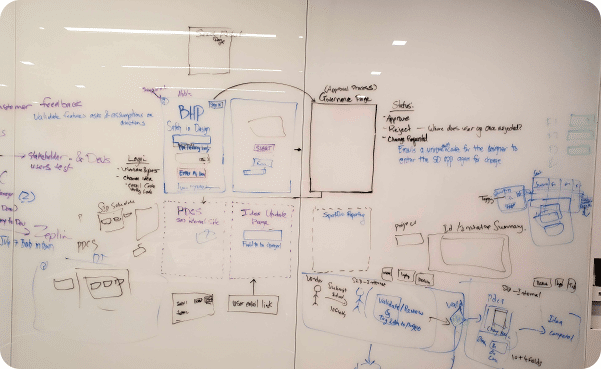
Refining Information Architecture with the Development TeamEnhancing Structure and Usability Through Collaboration
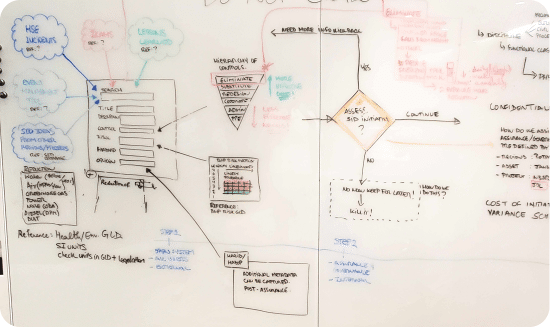
I then continued collaborating with the development team on the application's information architecture to make sure content and functionality were organized clearly and intuitively.Establishing a solid information architecture was vital for the application's usability and easy navigation. By working closely with the development team, I ensured that the design and technical implementation were aligned, leading to a smooth user experience.
Whtboardinfoarchimg13333
Information Architecture whiteboarding session
(Click here to enlarge)
ArrowForwardFilled3339
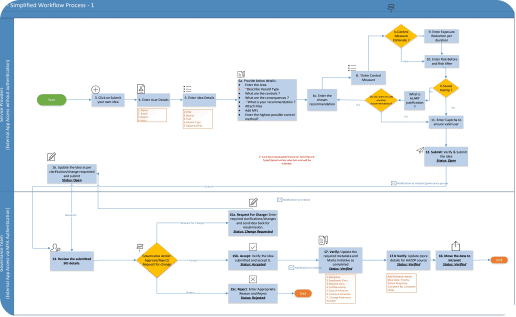
infoarchimg3236
The final userflow
(Click here to enlarge)
Orchestrated Cross-Functional ColborabationAligned Technical Reality with Creative Possibility
I also led brainstorming sessions and design workshops to improve designs and functionality, working with the development team and gathering feedback through demos. This collaborative approach ensured we stayed aligned with business goals, technical feasibility, and user needs.
groupteamcollaborationillustrationimg13339
Transitioning from Concepts to Low-Fidelity WireframesEvolving Initial Ideas into Tangible Designs
Then I began working on low-fidelity wireframes based on initial sketches and brainstorming. This helped turn concepts into a more visual representation of the user experiences, allowing for refinement with stakeholders and the development team before moving to mid-fidelity prototypes.
image
Prototype
“Bringing Ideas to Life”
Transforming Concepts into Interactive Designs
Next, I started iterating on mid-fidelity prototype wireframes to prioritize user interactions, flows, features, and content for testing. This helped me refine design concepts with the team and stakeholders, ensuring they align with project goals.
IMAGE1stmidwireframehomeimg13339
Test
“Testing and Refining for Excellence”
Validating Prototypes in Real Mining Environments
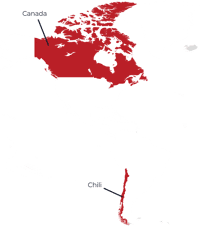
Next, I planned and developed the usability test plan that was conducted on-site at two of BHP’s mining offices in Canada and Chile by another Lead UX Designer and a junior UX Designer. The team tested the web app prototypes with 16 users and surveyed 61 users across all target groups in both locations.
Across All Target Audience
16
Users
Web Application Prototype
61
Users
Online Survey
The testing aimed to:
Circle12693Validate product concepts with target users.
Circle22693Reveal pain points and usability issues.
Circle32693Identify key enhancement opportunities.
USMexicoMap3253
Key Findings
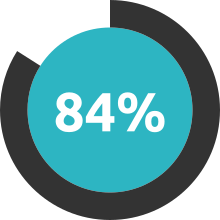
SVG84iconteal3253of users said they would like to use the app frequently.
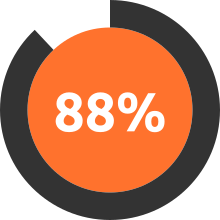
SVG88iconorange3253of users did not find the app very cumbersome or awkward to use.
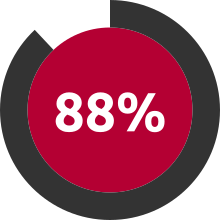
SVG88iconred3253of users found the app was easy to use.
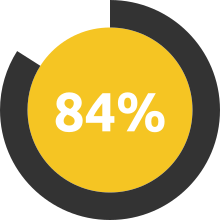
SVG84iconyellow3253of users thought most people would be able to learn to use the app very quickly.
Design
“Crafting the Final Visual Experience“
Harmonizing Design with Technical Feasibility
Towards the end of the project, I begin translating the mid-fidelity wireframes into high-fidelity designs to showcase the final visual design of the SiD application. I continued to collaborate closely with the development team to align the technical feasibility and branding with the UI designs. This iterative approach helped to provide a clear visual blueprint for the development team, ensuring a cohesive and polished user experience.
ideasubmissionscreenimg13347
Idea Submission ScreenAllowed users to submit new safety initiatives which streamlined the submission process, encouraged more users to contribute ideas, increased engagement and the volume of safety initiatives logged.
IMAGE6001ideasourcescreenimg13465
Idea Creation Flow
Idea Source Screen
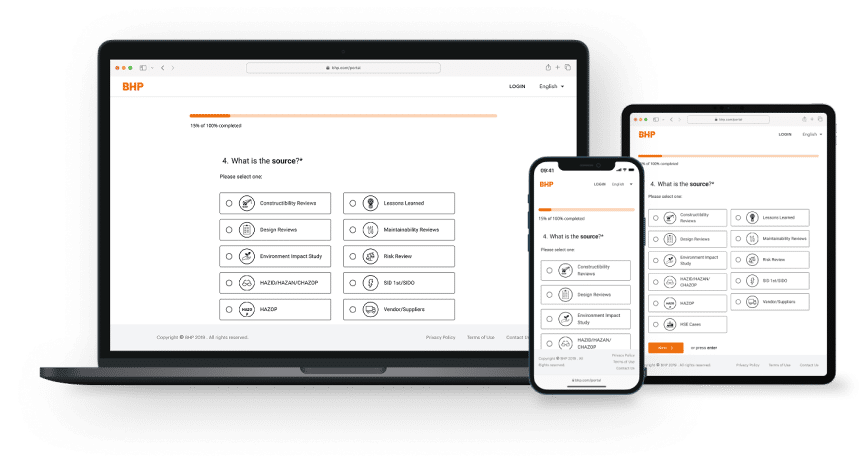
Guides users to identify where their safety idea originates—whether from personal observation, team collaboration, training sessions, or external best practices.
Idea Creation Flow
Description Screen
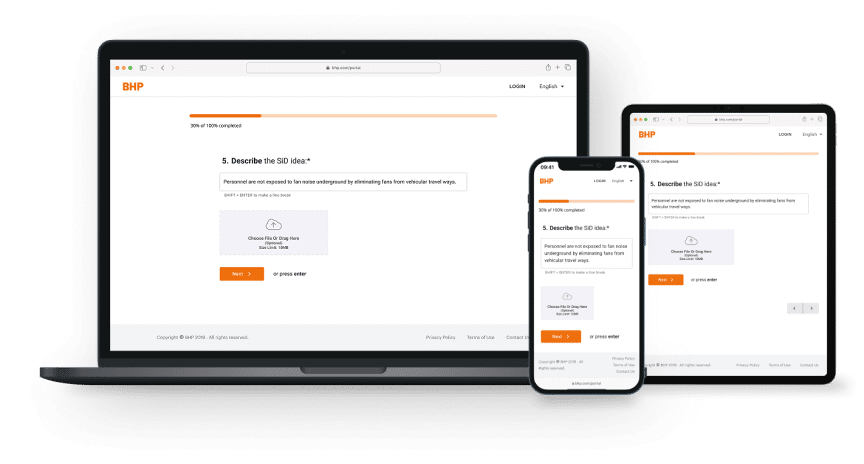
Provides users with a structured space to write their proposed safety improvement idea in detail and upload any relevant information so it can quickly be understood and evaluated.
IMAGE7110descriptionscreenimg13464
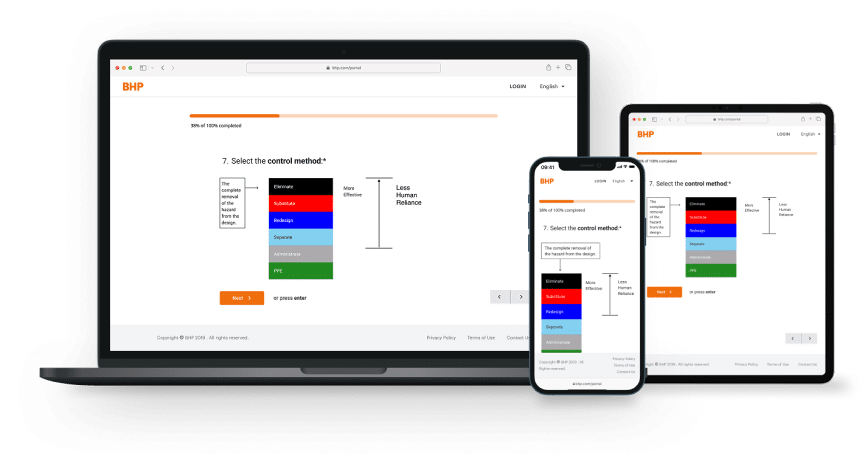
IMAGE9000controlmeasurescreenimg13464
Idea Creation Flow
Control Measure Screen
Users select what control measure options that correspond to the hazard type. The system then dynamically adjusts subsequent fields to gather relevant exposure reduction data.
Idea Creation Flow
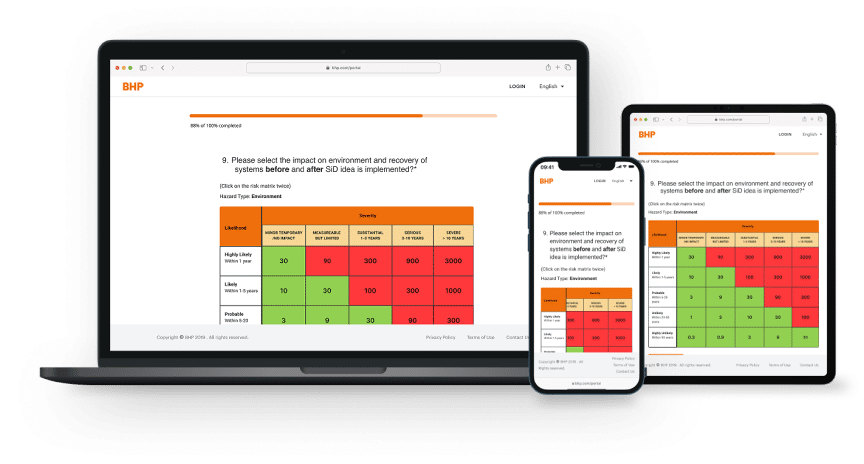
Risk Reduction Screen
Allows users to specify the exposure reduction achieved by their proposed control measure. Depending on the hazard type and control measure selected, users may enter exposure reduction quantities, unit measures, and details about people exposed, duration, and frequency.
IMAGE11001riskreductionscreenimg13464
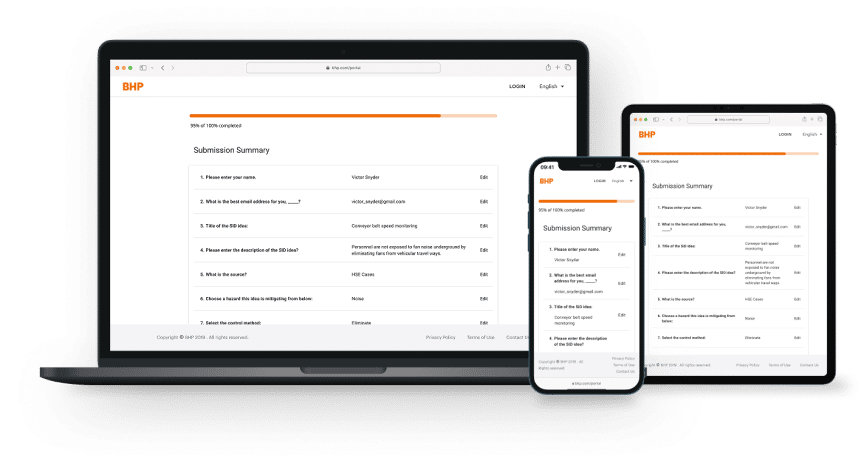
IMAGE12012confirmationscreenimg13464
Idea Creation Flow
Confirmation Screen
This screen shows users a comprehensive summary of their submitted idea, allowing them to review all entered information before final submission.
Outcome
“Empowering Safety Through Design“
How User-Centered Design Elevated BHP's Global Safety Culture
By using a user-centered design approach, I made a significant impact on BHP's safety management practices, which included:User Satisfaction: 88% of users found the SiD app easy to use, and 84% expressed a desire to use it frequently. This high level of satisfaction shows that the design effectively meets user needs.
Efficiency: The application was created to let users input initiatives in less than 60 seconds, greatly reducing the time needed to access and submit safety practices.
Centralized Repository: The SiD app functions as a centralized database for safety initiatives, allowing easy access to historical data and best practices across BHP’s global projects.
Fostering a Safety Culture: By providing a user-friendly platform for submitting and accessing safety practices, the application has strengthened BHP's safety culture, enabling users to contribute more actively to safety improvements.
ConclusionLessons Learned
Through this project, I learned the importance of a user-centered design approach and the value of ongoing user feedback. The iterative design process, which included usability testing and stakeholder workshops, was key in refining the application and ensuring it met the needs of end-users.

Overall, the SiD project has shaped my approach to future design work by emphasizing the importance of user research, clear communication strategies, and continuous collaboration. These insights will guide my future projects, helping me create effective and accessible solutions that truly meet user needs.